7 Med Spa Websites That Turn Visitors Into Booked Consults
A med spa website has one job: turn a phone screen into a consultation request. Most still work like brochures instead. They look finished, list treatment names, and stay quiet about the next step. A 2025 beauty and wellness industry report found that 97% of med spa clients want to book through mobile devices, yet the average med spa received only 11% of its appointments through online booking. That gap between stated preference and actual booking tells you many med spa websites do not make scheduling easy.
I judge the seven med spa websites below on the path from first screen to consultation request, not on photography alone. If a visitor on a phone cannot tell what the practice does, who does it, and how to ask for a visit, traffic does not matter.
Each entry closes with a tactic you can copy and a pitfall to skip on your own site. The choices that move people are usually small. A price in the hero. A named provider. A location page that answers where to go. A menu sorted by concern instead of product brand. None of that replaces a clinical visit. It gets the right person to request the right kind of appointment.
The same test runs on every example. Can someone understand the offer, trust who delivers it, and start a consult without hunting for a generic contact page? Copy the pattern that fits your menu. Skip the look if it hides the action.
Table of Contents
1. Peachy
Peachy puts a flat-rate Botox offer in front of the visitor before the brand story has time to wander. The first screen answers the practical questions in the order a new client asks them: what the appointment is for, how the pricing works, and where to request a slot. The navigation stays short, the booking action stays visible, and the visuals read clinical rather than spa-soft.
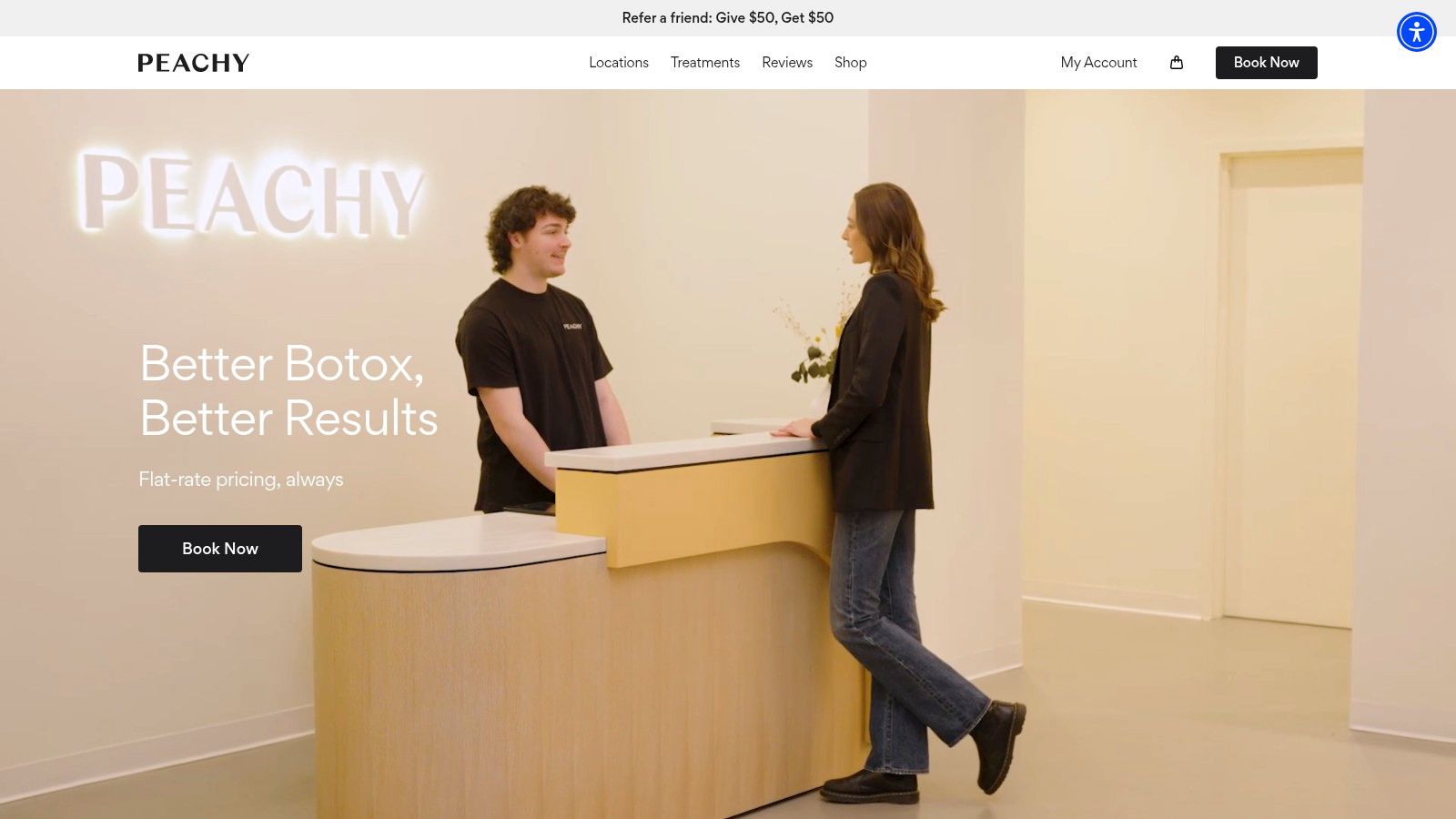
Phone and walk-in booking still carry most med-spa demand, according to RepuClinic's booking-friction data. That makes the page's job narrower and more exact. A self-scheduling visitor needs the offer and the booking control immediately. A phone client needs enough confidence to call with a specific ask instead of a vague inquiry. A clear price and one visible next step serve both.
What the first screen has to do
The site keeps attention on one service and one action. Short navigation limits the number of exits, and a booking control that stays visible keeps the visitor from hunting for the next step. City-level branding stays consistent, so a visitor in a new market still recognizes the same offer.
That works when the menu is narrow. It breaks when the same hero is pasted onto a clinic that sells lasers, fillers, wellness drips, and memberships with different consult rules. A broader menu needs each treatment page to carry its own price logic, provider information, downtime, candidacy, and consult action.
What to copy:
- Lead with the offer. State the price logic or starting point before the scroll.
- Use one primary action. Book or request a consult. Five equal buttons split attention.
- Match the visual to the promise. Clean clinical photos support a medical injectable. Day-spa imagery makes a price-led offer feel less precise.
A transparent price does not replace a consult. It tells a new client whether the conversation is worth starting.
Tactic: Put the core offer and the booking control in the first screen on mobile, then repeat that control on the treatment page. Pitfall: A flat-rate homepage will not carry a broad menu, and it will not stand in for provider credentials, downtime, or who is a candidate. Keep those on the treatment page, and let staff confirm the slot before treating a request as a procedure booking.
2. Skin Solutions Collective
Skin Solutions Collective organizes a multi-location practice around how patients really decide. Treatment categories cover lasers, fillers, and wrinkle reducers. Provider profiles and testimonials sit next to a before-and-after gallery. Location pages, reviews, and a membership sit in the same system instead of on a separate brochure site.
The gallery is the point, not the luxury styling. People comparing injectors want to see outcomes and a name attached to the work. A large gallery only helps if the images are current, consented, and labeled with enough context that a result does not read as a guarantee.
Location pages that finish the decision
Clinic-location pages produced the largest gain in a healthcare conversion study, with conversions up 78.9% after clearer location information helped users pick the right facility, per a Microsoft Clarity case study with Netpeak. Homepage conversions rose 25.1% and service-page conversions 26.3% in that same project. For a group like this, the location page has to carry address, access notes, local phone, and a booking prompt for that site.
- Separate the proof from the place. Results live on treatment pages. Directions and hours live on the location page.
- Name the provider. A testimonial without a clinician is marketing copy.
- Give membership its own path. Do not bury a recurring plan inside a one-time consult form.
Tactic: Build one location template with address, access, practitioners, a local number, and a location-specific consult button, then link it from every treatment. Pitfall: Galleries rot. Outdated or poorly consented photos cost more trust than a plain staff photo, and a fat menu takes real upkeep or the categories stop matching what you book.
3. Cienega Medical
Cienega Medical opens with video and reputation, not a price card. The first impression sells atmosphere. Reviews and multi-location details sit close enough that the mood does not have to do all the work. Service navigation stays available beside the brand film, which is the part most video homepages forget.

That mix fits an established clinic with a real review history. It is a weak model for a new room with twelve reviews and a slow hero file. Video that autoplays, or a file that stalls on cellular data, pushes the booking control below the moment of interest. I would rather have a still frame and a visible consult button than a cinematic load that never finishes.
Reviews only count if the page can be found
Social proof reassures people who are already comparing you with two other clinics. It does not fix a location page that never ranks. If you run more than one address, pair the review module with a local SEO audit so each office has its own page, its own map signals, and its own call to action. Quote review totals only when they match the live profile and you name the source.
Tactic: Use a short muted loop or a poster image, then place review count, city, and the consult button in the same first screen. Pitfall: Heavy video slows the page and steals the tap. Unsourced star totals look persuasive until a patient opens Google and the numbers do not match.
4. Mirabile M.D.
Mirabile M.D. introduces the practice with real team photography and a short care philosophy, then points that introduction at a consultation. Provider, treatment, and location details stay attached to the same story. The site feels premium without pretending the waiting room is the product.
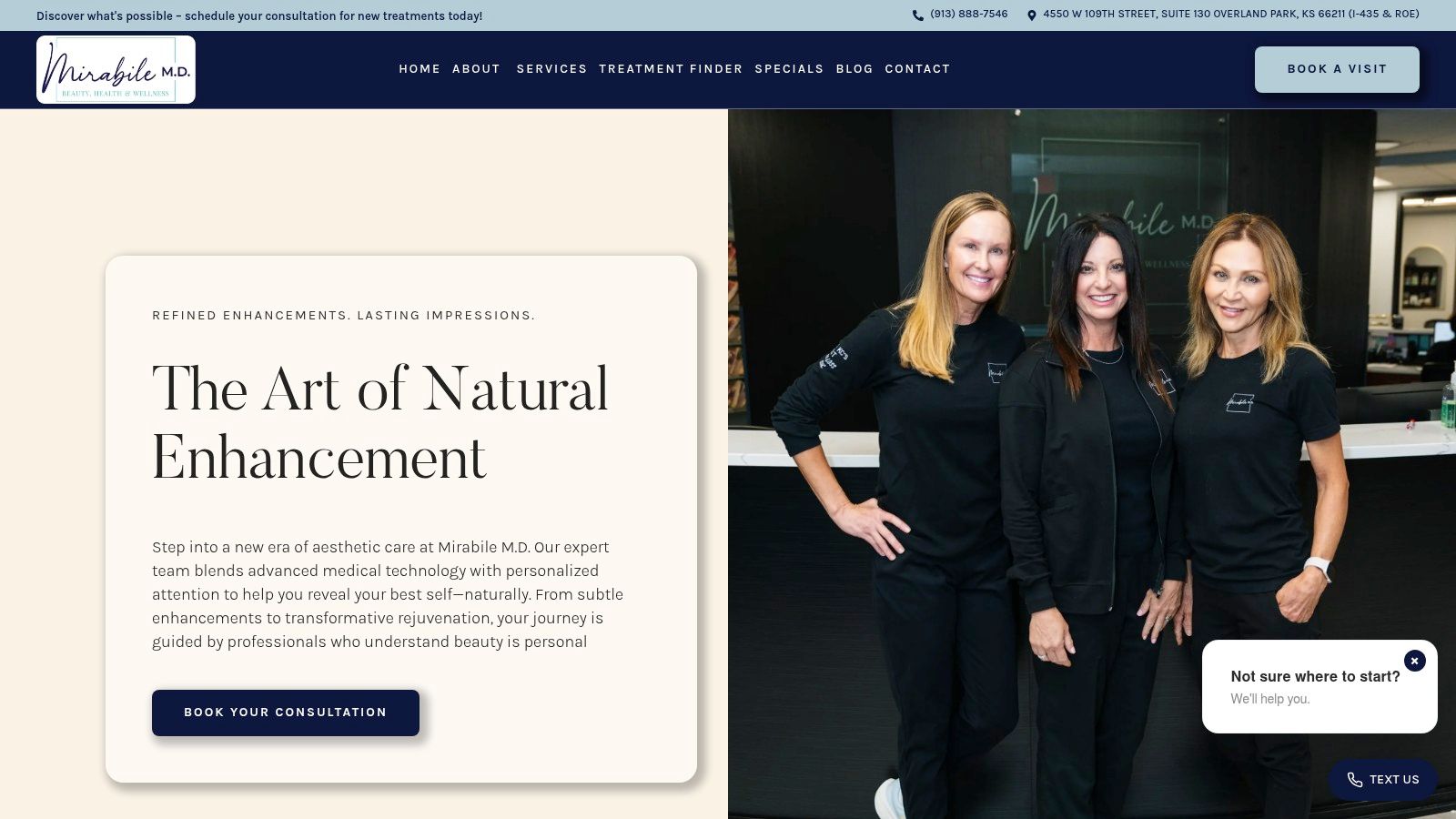
Staff photos do a job stock beauty imagery cannot. They answer who will be in the room. Put names, roles, and credentials next to the faces, above the fold on the homepage or one tap away, not buried under an About link nobody opens.
When the prompt fights the page
A healthcare redesign that swapped brochure navigation for a responsive layout and a booking system tied to practice software saw online appointment bookings rise 107% and the mobile conversion rate improve 65%, with bounce rate down 42%, sessions longer by 3.5 minutes, and organic traffic up 34%, according to Datastep's case study. Those figures are directional, not a med spa guarantee. They still show what happens when the mobile path is the product.
Pop-ups and chat bubbles can erase that gain. On a phone, a second prompt covering the consult button is a second decision. Test widgets with the keyboard open. If the team cannot answer after hours, an AI receptionist for a med spa should catch the call and the text, not another overlay on the hero.
Test on a phone first: If the consult button disappears under a widget, the widget loses.
Tactic: Lead with named staff photos and one consult action, then measure that button on mobile separately from desktop. Pitfall: Slow mobile pages and competing prompts. Fix speed and remove anything that blocks the primary action before you add another campaign banner.
5. Seena One Med Spa
Seena One leads with a medical care model, then lets people browse by service or by concern. Contact details, reviews, and location stay easy to find. The site also surfaces English- and Spanish-speaking provider availability, which is practical access information, not a footer afterthought.
This is the right pattern when the visitor does not know the brand name of the treatment. Someone searching frown lines should not have to guess whether they need a neuromodulator consult or a laser consult. Concern-based navigation routes that person. It fails when every concern link dumps into the same generic form.
An Experian Health survey reported that 80% of patients want to schedule appointments from home or mobile devices. The same write-up notes that the American Society for Dermatologic Surgery found 94% of cosmetic-procedure consumers use ratings and review websites when choosing a provider, and that nearly half say a provider's social-media presence affects whether they schedule. A book button without triage ignores that research behavior. People arrive with a concern and a stack of reviews, not a procedure code.
Split the visit types
- Concern pages for newcomers. Plain candidacy, downtime, and what the consult covers.
- Service pages for people who already know the name. Price context, provider, and duration.
- Language and access up high. If you have Spanish-speaking providers, say so next to booking, not in a PDF.
Tactic: Offer two entry points, "I know the treatment" and "I have a concern," and send each to a consult type your front desk can realistically staff. Pitfall: A muddy first step for unsure visitors, and any line about physician oversight that does not match who performs the treatment. Staff should review sensitive answers before a procedure slot is confirmed.
6. Alea Aesthetics Medical Spa
Alea Aesthetics Medical Spa runs a wide menu across injectables, skin treatments, IV infusions, and wellness. Individual sections say what each service addresses. Some prices are public. Consultation and contact options sit beside that menu so comparison shopping can turn into a planned visit instead of a tab the visitor closes.
A 2025 market analysis estimated the U.S. medical spa market at $9.1 billion, with facial treatments accounting for 53.6% of 2025 market revenue. A homepage that treats every service as equal hides the category people search for most. Feature the face and skin work that drives demand, and park wellness as its own track with its own claims review.
Prices that help, and prices that lie
Published prices are a starting point, not a quote. They reduce "just curious" calls and they create a maintenance job. When the menu price and the front desk price diverge, you trained the patient not to trust the site.
- Scan, don't scroll a novel. Group face, skin, and wellness with short labels.
- Say what the consult decides. Public prices still need a visit when dosing or candidacy changes the number.
- Review wellness claims separately. A vitamin infusion and a filler do not share the same proof standard.
Tactic: Publish starting prices on your highest-intent treatments, and put a "request a consult for a plan" action in each section. Pitfall: A dense menu with stale prices. If you cannot update the number when supply or protocol changes, pull the price and keep the consult path.
7. Milk + Honey Spa
Milk + Honey Spa holds a traditional spa, a med spa, a salon, and retail under one identity, across multiple locations. Gift certificates and products sit next to appointment options. That is useful when one household wants a massage gift card and another wants an aesthetic consult. It is a mess when both land in the same booking flow.
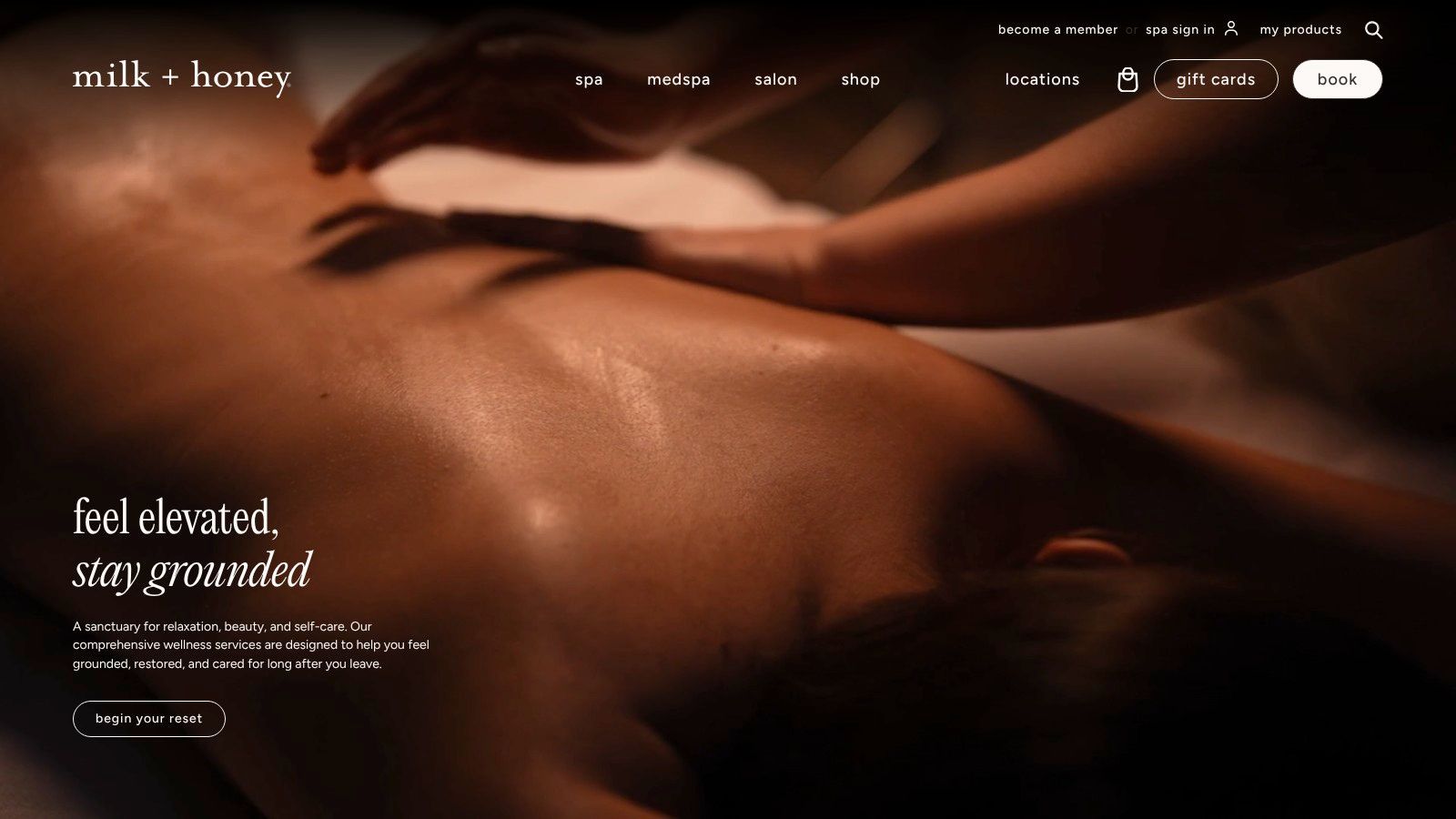
The visual system can stay consistent. The paths cannot. Medical services need a different provider label, a different consent expectation, and often a different scheduler than a facial or a blowout. If the med spa page looks identical to the salon page except for the service name, people book the wrong length of visit.
Social proof for this kind of brand often starts off the website. A medical spa social media plan should send followers to the matching path, aesthetic consult or spa appointment, instead of a homepage that asks them to sort the brand themselves.
Tactic: Split booking into clearly named flows, clinical consult versus spa or salon appointment, and give gift cards their own checkout so they do not block the consult button. Pitfall: One blended menu where a medical treatment is as hard to find as a body scrub, and where the provider type is never stated. Guests will pick the shortest form, which is rarely the right clinical slot.
How the seven med spa websites compare on booking-focused features
| Item | Best For | Standout Conversion Element | Key Caution |
|---|---|---|---|
| Peachy | Practices targeting price-conscious or first-time clients | Prominent flat-rate pricing and clear booking action | A focused offer may not suit clinics with broad treatment menus |
| Skin Solutions Collective | Multi-location clinics showcasing results and providers | Before-and-after gallery, testimonials, and provider profiles | Keep imagery current, consented, and appropriately contextualized |
| Cienega Medical | Established clinics building on reputation and atmosphere | Video-led presentation with prominent review cues | Video can slow loading or distract from booking |
| Mirabile M.D. | Practices emphasizing personal, medically grounded care | Real team photography paired with a consultation action | Test mobile speed and pop-ups to avoid disrupting content |
| Seena One Med Spa | Clinics helping new patients explore services by concern | Navigation by service or concern with visible contact details | Make the first step clear and describe medical oversight accurately |
| Alea Aesthetics Medical Spa | Clinics with multiple treatment and wellness service lines | Treatment descriptions, public pricing, and consultation options | Keep the broad menu scannable and pricing up to date |
| Milk + Honey Spa | Multi-location brands combining spa and medical aesthetics | Gift certificates and products alongside appointment options | Clearly distinguish medical services, providers, and booking flows |
Turning These Patterns Into Your Next Consultation Funnel
Seven sites, seven patterns, and the temptation is to rebuild everything at once. Resist it. Pick two or three: a visible booking action above the fold, real provider photos, starting prices on your core treatments, or navigation by concern. Any one of those will move more consult requests than a full visual redesign. Audit your current site against them on a phone, with one treatment and one location in mind.
Then change one element at a time. If prices, a new menu, and a chat widget all go live in the same week, you will never know which one moved the number. Define the action before you touch the page: a consult request, a qualified form submission, or a click-to-call from a treatment page. Total sessions can climb while bookings stay flat, so track what fills the calendar.
Forms, quizzes, and schedulers sit inside that path, and they are also where sensitive answers land. AI tools that touch protected health information still fall under HIPAA's Privacy and Security Rules, and vendors may need business associate agreements, minimum-necessary controls, and real oversight, as Foley & Lardner lays out for privacy officers. Accessibility rules also apply to some digital services in Europe, and even for a U.S.-only patient base, keyboard access, contrast, labels, and clear error messages keep the booking flow usable. An unsecured quiz and an unreadable button do the same damage: they push people back to the phone, or off the site.
A two-location injectable clinic might copy Peachy's flat Botox pricing, Skin Solutions' location pages, and Seena's concern links for "frown lines" and "volume loss," while leaving IV therapy and gift cards out of the hero. Run that version for two weeks, count consult requests, and only then decide whether a second treatment earns the same setup.
If you want an outside read on that path, Med Spa Scalers offers a free audit that reviews the website, lead response, and follow-up as one system. A page can win the request and still lose the consult if nobody answers.
Med Spa Scalers builds the path from a med spa website visit to a kept consultation, with Meta and Google campaigns, landing pages, CRM follow-up, and local visibility tied to booked patients rather than clicks. If your site gets interest but the consult calendar stays thin, start with a free audit or the Med Spa Growth System at Med Spa Scalers.
See how many patients you're leaving on the table
Get a free marketing audit of your ads, follow-up and booking flow. No pressure, just a clear picture.
Book a free marketing audit