Google Ads Not Working? a Med Spa Checklist
It's Tuesday afternoon. Your Google Ads campaign has spent its daily budget, the click report looks healthy, and the front desk has booked almost nobody. Your agency wants more time, your receptionist says the leads aren't serious, and you're wondering whether to turn the ads off.
Before you change the budget, find where the appointment path breaks. Google Ads not working can mean the wrong traffic, broken measurement, an unconvincing page, or an unanswered inquiry. Those problems need different fixes.
Table of Contents
- Verify delivery and conversion settings
- Reconcile the platform with the appointment book
- Repair the front-desk handoff
- Check existing demand before buying more
- Choose the action that fits the evidence
- Allow time without tolerating obvious waste
- Audit when the appointment path is invisible
Read the Symptom Before You Change the Budget
Start with the symptom you can verify, not the explanation someone gives you. Follow only the matching row until you've tested its first check.
What Google Ads not working usually means
| What you see | Usual break | First check |
|---|---|---|
| Spend is on but impressions are near zero | Campaign not eligible, limited by budget, bids, or policy | Status, budget, bid strategy, and policy alerts |
| Clicks arrive and conversions stay at zero | Tag, conversion action, or page never fires | Test form and call through to a thank-you or booking event |
| Leads are cheap and almost none book | Primary conversion is a low-intent micro action | Which action Smart Bidding is optimizing toward |
| CRM shows bookings Google Ads does not | Click ID lost or offline import missing | Match lead ID, date, and campaign between CRM and Ads |
| Cost per lead looks fine and the calendar is empty | Slow reply, no second touch, or no-shows | Time to first response and show rate by source |
| Clicks arrive but the page loses visitors | Landing page does not match the query or fails on mobile | Landing-page conversion rate and mobile click rate |
Define success before diagnosing failure
For a med spa, the operational success metric should be a consultation that's booked and kept. Clicks, page views, and raw inquiries help diagnose the account, but they aren't appointments.
Google's conversion reporting guidance defines a conversion as an action after an ad interaction and conversion rate as the proportion of interactions that produce that action. The key detail is that you choose which action counts.
A busy account can therefore be economically unproductive without looking broken. If the dashboard celebrates an inquiry that nobody answers, the owner and the bidding system are evaluating different outcomes.
Keep the diagnosis narrow
No impressions calls for an account-delivery investigation. Clicks without recorded actions require a measurement and page test. Bookings missing from reporting require reconciliation, not new ad copy.
Don't change targeting, bids, creative, and the website together. You won't know which change helped, and you may remove something that was already producing useful demand.
Use the Google Ads Quality Score guide when relevance is the suspected break, rather than treating every weak result as a bidding issue.
Practical rule: Don't raise daily spend until you've ruled out the failure pattern that matches your account.
The appointment path you need to verify is concrete: click, page, CRM record, booked consult, kept appointment. A page that loses qualified visitors is the final destination check before any budget increase.
Verify Tracking Then Repair Follow-Up
Put the person managing Google Ads and the person managing the front desk in the same review. Open the ad account, call-tracking records, booking calendar, and CRM together. A screenshot of the campaign dashboard won't tell you whether an inquiry became an appointment.
Use this repair sequence to keep the work focused.
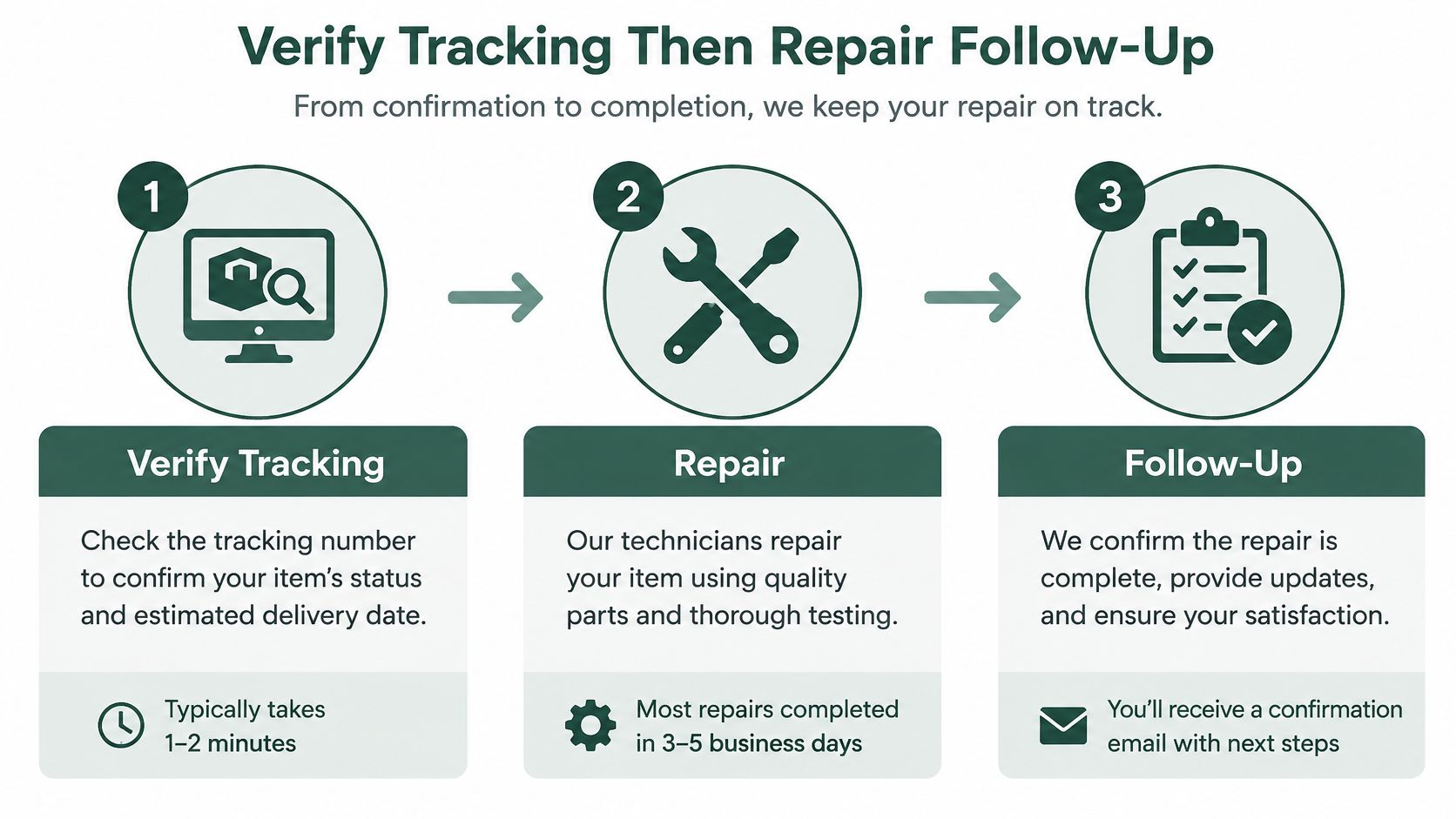
Verify delivery and conversion settings
Confirm the campaign can serve. Check campaign status, billing, policy alerts, impressions, and recorded clicks. If delivery has stopped, resolve the specific restriction before interpreting conversion performance.
Inspect the actual primary action. Open the conversion goals used by the campaign, not just the account-wide summary. Make booked consultations the primary outcome for this diagnostic approach, with form starts, button clicks, and short calls kept as secondary observations.
Check counting and timing. Review the counting method, conversion window, and imported events. A repeated form submission shouldn't become multiple patient wins, and recent clicks shouldn't be judged as though every prospect has already finished deciding.
Test the complete handoff. Run a test form submission and a test call through the tracked route. Confirm the landing-page event, thank-you or booking event, CRM record, and appointment status, then exclude test records from performance reporting.
Use Google Tag Assistant to check whether the intended event fires. A form button click isn't enough: the submission must succeed, and the record must reach the person responsible for contacting the prospect.
For calls, verify that tracking reaches the correct clinic and that the desk can see the caller's details. Listen for whether the caller wanted treatment, reached someone, and received a booking invitation. Call duration helps with screening, but a long conversation isn't automatically a qualified consultation.
Reconcile the platform with the appointment book
Match records by date, campaign, and lead ID. Export Google Ads results alongside call tracking and CRM outcomes. Preserve the Google click ID where available so an eventual booking can be connected to its originating interaction.
Review the conversion path before cutting keywords. A prospect may discover the clinic through a treatment search and return later through another route. Google's attribution guidance explains how attribution settings affect conversion columns and how reports reveal interactions that assist the eventual conversion.
- Duplicate imports: The same booked consultation arrives through separate workflows and gets counted again.
- Spam counted as success: Invalid inquiries enter the same conversion action as genuine prospects.
- Phone clicks counted as patients: Someone taps the number but never completes a useful call.
- Missing appointment updates: The CRM records a booking, cancellation, or attendance change without passing the intended outcome onward.
- For unanswered inquiries: Add a second and third touch for non-bookers, subject to consent and opt-out requirements. Give each message a purpose, such as answering a common consultation question or offering appointment availability.
- For booked prospects: Confirm the location, appointment details, and what to expect. Make rescheduling straightforward.
- For missed appointments: Assign a recovery task rather than leaving the record in an abandoned stage.
- Inspect search terms weekly: Look for jobs, training, free services, at-home intent, and cities you don't serve. Apply negatives carefully so you don't block legitimate treatment questions.
- Review placements where applicable: Check whether the environments generating inquiries fit the campaign's purpose. Don't confuse a search-query review with a placement review.
- Constrain geography: Target the primary service area and inspect location settings, rather than assuming every person interested in the city is willing to attend.
- Match schedules to response coverage: Run call-dependent activity when someone can answer. Extend coverage only when your response workflow can support it.
- Check automated destinations: Turn off or constrain final URL expansion when it routes a laser consultation search to a generic homepage.
When totals disagree, inspect individual records rather than adjusting the spreadsheet until the totals match. A date difference may reflect the reporting basis or booking delay; a missing record may reveal a failed integration.
Look specifically for these reporting errors:
Google's ads announcements report that including IP in imported data can increase observed Search conversions by up to 3%. That's a measurement gain, not proof that the campaign created more demand.
Configure enhanced conversions and offline imports with your privacy requirements and consent practices in mind. Don't send treatment notes or unnecessary sensitive information just to improve matching.
Keep both booked and attended statuses visible, but don't accidentally treat the same patient's progress as unrelated wins. Choose the bidding outcome deliberately and use attendance to judge whether those bookings are commercially useful.
The video below provides additional context for the review.
Repair the front-desk handoff
Once the test inquiry reaches the CRM, watch what happens next. Who owns it? Does that person receive a notification, and can they offer an actual appointment without passing the prospect between staff members?
I would set an operational target of a text reply in under a minute when the desk is busy. That's a workflow target, not a promise that every fast reply will produce a booking.
The message should acknowledge the requested treatment and make the next step easy. Ask whether the prospect prefers an available consultation time or needs a staff member to answer a booking question. Don't send a generic greeting that forces them to repeat their inquiry.
The med spa CRM workflow guide is useful for mapping ownership and appointment stages. The important check is whether staff can distinguish a new inquiry from someone contacted, booked, attended, or lost.
Check existing demand before buying more
At Med Spa Scalers, we focus on reply speed, reminders, and reactivation before asking a clinic to spend more on ads. In months 4 to 6 with the full system running, the median cost per new patient from ads was $160. That's a full-system result, not a Google-only benchmark or a guaranteed acquisition cost.
For Serenity Face & Body in Columbus, Ohio, a reactivation campaign to 3,860 dormant patients rebooked 313 people and brought in $108,400 in 45 days, with no new ad budget. Reactivation isn't new-patient acquisition, but it demonstrates why the appointment book deserves attention before the media budget.
If an inquiry reaches your clinic but nobody gives that person a clear path to book, the ads aren't the first repair.
An account that fails these checks isn't ready for another bid experiment. Fix the handoff, then make sure Google receives the booked or attended outcome you've chosen to optimize.
Stop Automation From Buying the Wrong Leads
Automation can find demand you wouldn't have selected manually. The problem starts when the account manager calls every additional conversion a business improvement without checking who booked and attended.
Google's 2025 product update reports that Smart Bidding Exploration campaigns averaged 19% more conversions and 18% more converting search-query categories. Those measures don't establish whether the additional prospects were suitable for a local med spa's treatments, service area, or pricing.
Give expansion a commercial boundary
Broad match, keywordless expansion, automated creative, and final URL expansion increase the number of ways someone can encounter your ads. That can include useful treatment searches, but also research, at-home alternatives, employment queries, and people who won't travel to your clinic.
Say a body-contouring campaign begins generating cheaper inquiries. Before celebrating, inspect whether those prospects want an in-clinic consultation or instructions for doing something themselves. Similar wording can conceal very different intent.
Separate campaigns where treatment economics, offers, or booking paths significantly differ. Injectables, laser and skin treatments, body contouring, and weight-loss or membership programs shouldn't all inherit one catch-all message.
Don't fragment the account merely to make its structure look polished. Use treatment-specific ad groups where they provide enough control, and create separate campaigns when you need distinct budgets, geography, or goals.
Review the traffic you actually purchased
Use a recurring quality-control review rather than assuming automation will qualify patients for you.
There are trade-offs. Tighter controls may reduce volume and remove some useful discovery traffic. Broader reach may create incremental bookings, but it also requires staff capacity and reliable qualification.
Cheaper leads without a measured show rate aren't evidence of growth.
Keep the broader reach when cost per booked consultation holds and attendance remains acceptable. If raw inquiries improve while the appointment economics worsen, tighten matching and improve the downstream feedback before expanding again.
Send Each Treatment Query to Its Own Page
Buying the click is only half the job. A prospect searching for a laser resurfacing consultation shouldn't have to browse your full service menu to confirm that you offer it locally.
Google's Quality Score guidance describes a 1–10 keyword-level diagnostic based on expected click-through rate, ad relevance, and landing-page experience. It compares your performance with other advertisers; it isn't a business outcome to chase independently of bookings.
Compare the destination with the promise
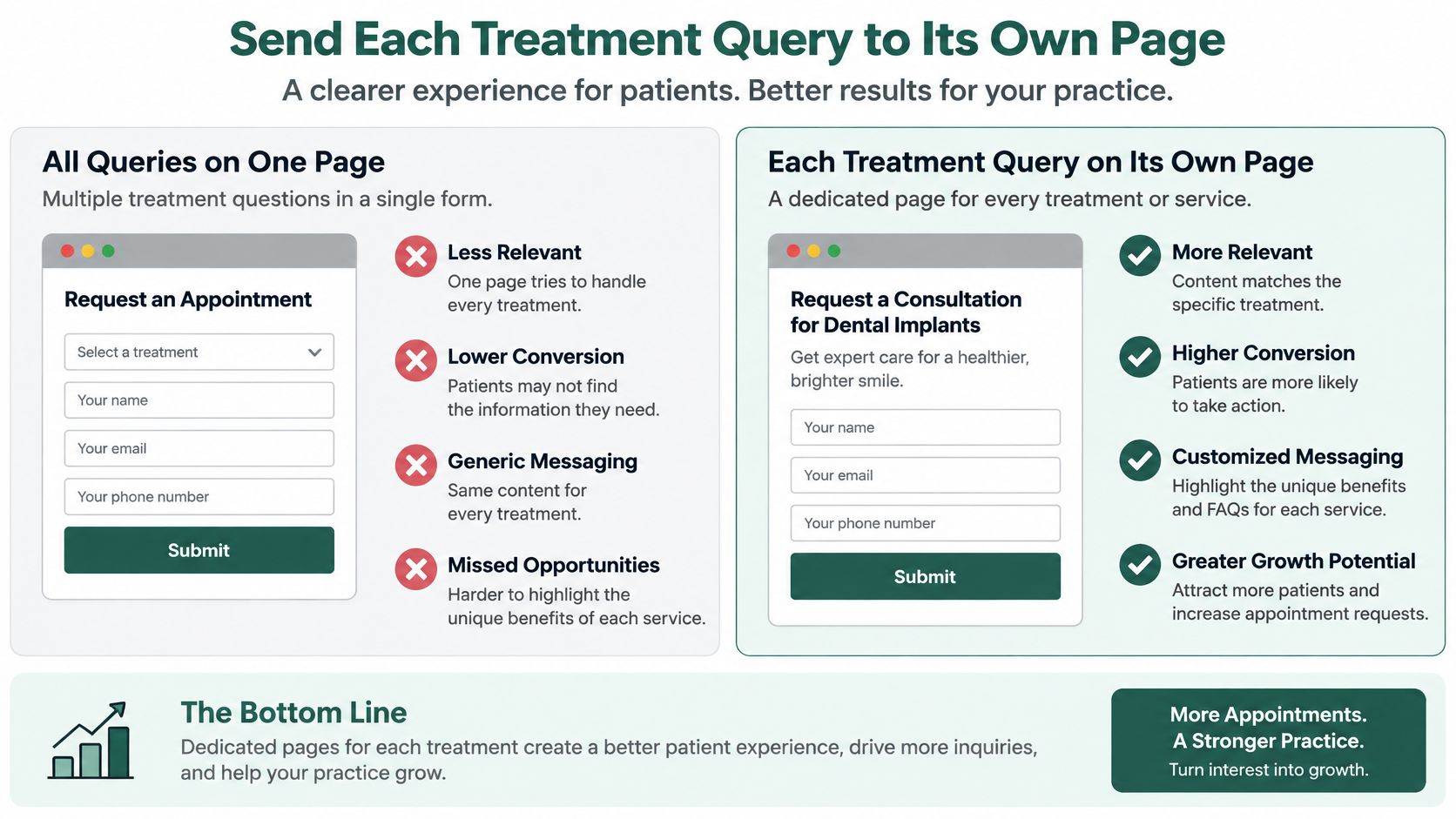
Consider the same laser consultation query sent to different destinations. The homepage opens with a broad beauty message, a rotating gallery, and links to every treatment. The visitor must find the service, check the location, and work out how to book.
A dedicated page names laser resurfacing and the clinic's city immediately. It explains who may be a candidate, what the consultation includes, and which questions require a provider's assessment.
It also gives the visitor reasons to trust the clinic: relevant reviews, accurate provider credentials, and clear expectations. Pricing context can be a genuine starting point or range approved by the clinic, with an explanation of what changes the treatment plan.
Use this destination comparison when reviewing treatment campaigns.
Test the page as a mobile visitor
Open the actual ad destination on your phone, using a normal mobile connection. Don't test only the polished desktop version or a preview inside the page builder.
Can you identify the treatment, clinic location, and next step without hunting? Can you complete the form without zooming, dismissing overlays, or losing entered information?
Mobile page failures and fixes
| Page failure | Fix |
|---|---|
| Form sits below a long gallery | Move the booking form or button above the fold |
| Phone number is not tappable | Make the number a tap-to-call link |
| Popup covers the offer | Remove or delay popups on mobile |
| Page loads too slowly to finish | Compress images and cut scripts until it loads fast |
| Homepage dumps every service | Build one page per treatment and city |
Apply the same standard to injectables, body contouring, and medical weight loss. Each page should provide appropriate eligibility and pricing context without implying that an online inquiry establishes clinical suitability.
Keep a clear primary booking action. If the form requests a consultation rather than reserving a confirmed slot, say so and explain what happens after submission.
For practical layout guidance, use the med spa website checklist. Build location pages around clinics you operate, not interchangeable city names.
Review the landing-page report's clicks, impressions, CTR, cost, conversion rate, and mobile-friendly click-rate information alongside completed booking records. Start with the highest-spend keywords that send visitors to mismatched destinations, repair those pages, and recheck conversion performance before adding budget.
Decide Whether to Pause Repair or Audit
The decision isn't whether Google Ads works. It's whether your clinic can buy appropriate demand, process it reliably, and measure the resulting appointments at an acceptable cost.
Don't keep spending just to preserve an experiment you can't afford. Equally, don't shut down useful traffic because a reporting column is incomplete.
Choose the action that fits the evidence
| What you've confirmed | Decision | What must happen next |
|---|---|---|
| Campaign is ineligible or policy-blocked | Stop expansion and resolve the restriction | Confirm eligibility before relaunching |
| Ads buy unsuitable queries or locations you can't constrain promptly | Pause the affected activity or sharply reduce exposure | Rebuild targeting and exclusions |
| Relevant traffic arrives but measurement, the page, or follow-up fails | Keep a controlled test running if affordable | Repair the identified break and validate it |
| Nobody can connect spend with appointment outcomes | Audit before another bid test | Establish ownership and a usable reporting trail |
A pause doesn't erase historical reporting, but it stops new traffic arriving while you test. Keep a controlled amount of relevant activity running only when the clinic can handle it and the test has a defined purpose.
If the form is unusable or the desk cannot respond at all, repair that failure before sending more people into it. There's no benefit in paying for a test whose outcome you already know.
Allow time without tolerating obvious waste
At Med Spa Scalers, we tell clinics that ads typically need 60 to 90 days to optimize fully. Treat that as a planning expectation once tracking and follow-up are stable, not permission to ignore irrelevant searches or missing inquiries.
Don't demand a clean verdict in the opening week. Do demand evidence that the campaign is eligible, the intended audience is reaching the right destination, and staff can process the resulting inquiries.
Give each repair a named owner and a written completion check. The person fixing imports should demonstrate a reconciled record; the person fixing follow-up should show that a new inquiry reaches an accountable staff member.
Audit when the appointment path is invisible
If you can't see response time, the booking route, and which ads produce consultations, another bid test won't answer the owner's question. Our free marketing audit reviews current ads, offers, landing pages, follow-up speed and consistency, booking flow, and the patient list to identify where bookings slip through.
Every engagement starts with that review. Exact pricing is discussed afterward, once the clinic's needs are known.
This week, pick your symptom row, run its first check, and hold the budget flat until booked consultations are a trustworthy measured outcome. Make the next decision from appointment evidence, not dashboard activity.
Med Spa Scalers offers a free audit of your ads, follow-up, booking flow, and patient list to identify where inquiries fail to become appointments. Visit Med Spa Scalers to request the audit and find out what needs repairing before you commit more ad spend.
See how many patients you're leaving on the table
Get a free marketing audit of your ads, follow-up and booking flow. No pressure, just a clear picture.
Book a free marketing audit