Google Ads Quality Score Explained: How to Improve It
The most popular advice about Google Ads Quality Score is to keep raising it until you reach the top of the scale. That can send a med spa marketer in the wrong direction. A better approach is to identify the weak component, make a targeted improvement, and check whether more qualified searchers book and attend consultations.
Table of Contents
What Quality Score Tells You at a Glance
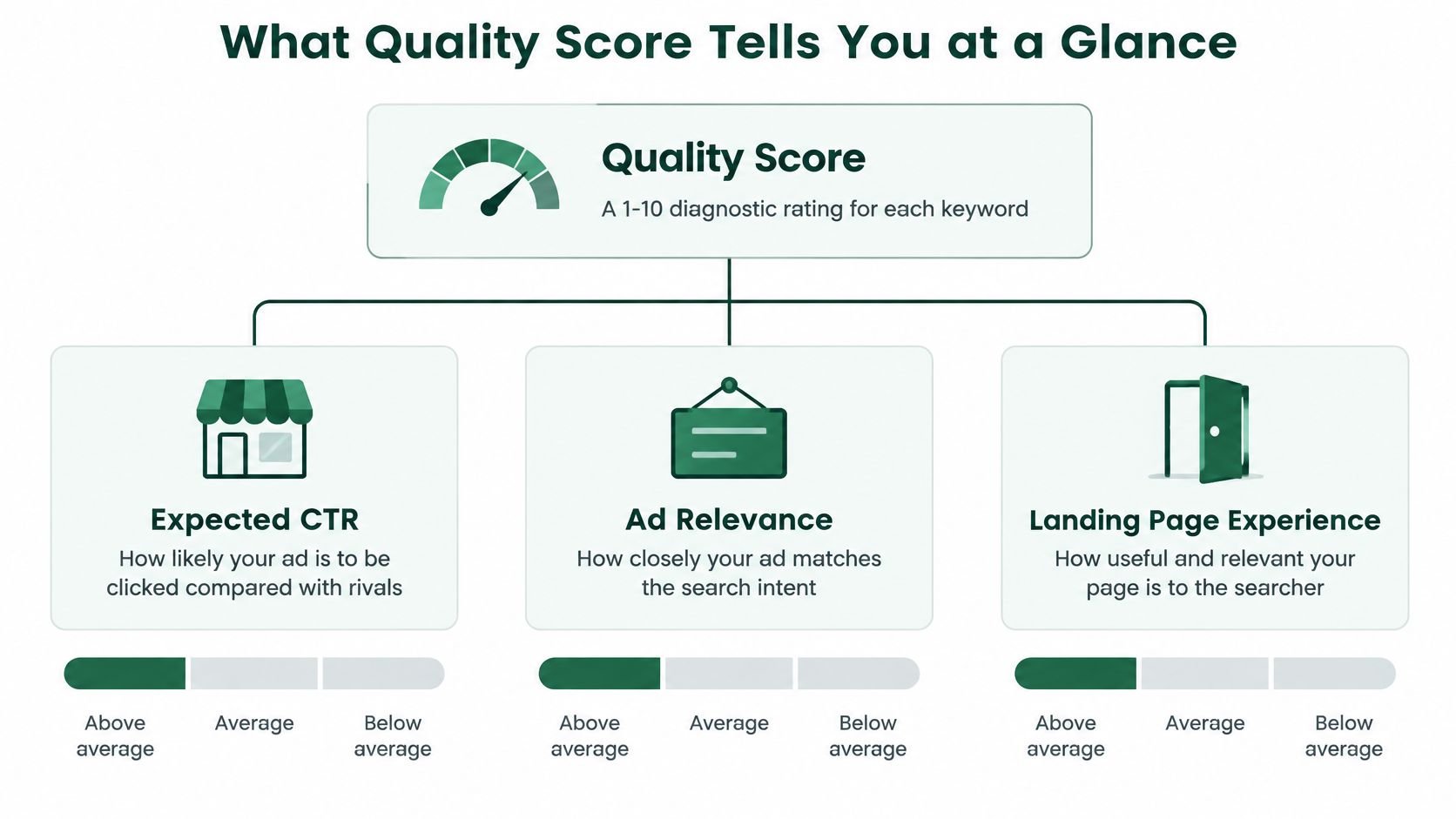
A high number can still hide one weak part. Google Ads Quality Score is a keyword-level diagnostic rating on a 1 to 10 scale that estimates how your ad quality compares with other advertisers competing for the same search, according to Google's Quality Score guide.
The score applies to a keyword, not the whole account or the entire website. The single number compresses three separate signals, so read it the way you would read a warning light: useful because it points you toward a circuit, useless if you stare at the light instead of checking the part.
Quality Score components and what they are judged against
| Component | What It Measures | Status Reported | Judged Against |
|---|---|---|---|
| Expected CTR | Likelihood a searcher clicks your ad when it appears for this search | Above average, Average or Below average | Ads shown for the same search during the comparison window |
| Ad relevance | How closely the ad matches the intent behind the search | Above average, Average or Below average | Ads shown for the same search during the comparison window |
| Landing page experience | How useful and relevant the destination page is for the search | Above average, Average or Below average | Ads shown for the same search during the comparison window |
| Overall Quality Score | Keyword-level diagnostic summary | Numerical rating shown per keyword | Competing advertisers for the same search |
The benchmark uses ads shown for the exact same search over a recent historical window, so the assessment is relative: competitors can improve their ads, and search conditions can change even when you haven't edited anything.
The diagram separates the overall rating from the component assessments.
Find the useful signal in your account
If your Botox consultation keyword has a middling score and landing page experience is Below average, start by examining the destination page rather than rewriting every ad. A generic homepage may leave someone searching for a consultation unsure where to book. If ad relevance is the weak column instead, the problem is earlier: the query and the headline are not making the same promise.
Low-volume keywords may display a dash instead of a score. Treat that as missing diagnostic information rather than a failing grade.
To inspect the account:
- Open Search keywords: In Campaigns, expand Audiences, keywords, and content, then select Search keywords. Navigation labels can change.
- Modify columns: Open Columns, choose Modify columns, and find the Quality Score category.
- Add the diagnostics: Select Quality Score, Exp. CTR, Ad relevance, and Landing page exp., then apply.
- Prioritize spend: Add Cost and sort from highest to lowest so you investigate commercially meaningful keywords first.
Why Quality Score Moves Your Cost Per Click
In its compilation of advertiser performance data, Quantumrun reports that, in 2024, campaigns with Quality Scores of 8 or higher had 43% lower CPCs than campaigns scoring 5 or below. This is a third-party comparison, not a Google guarantee or a forecast for your med spa.
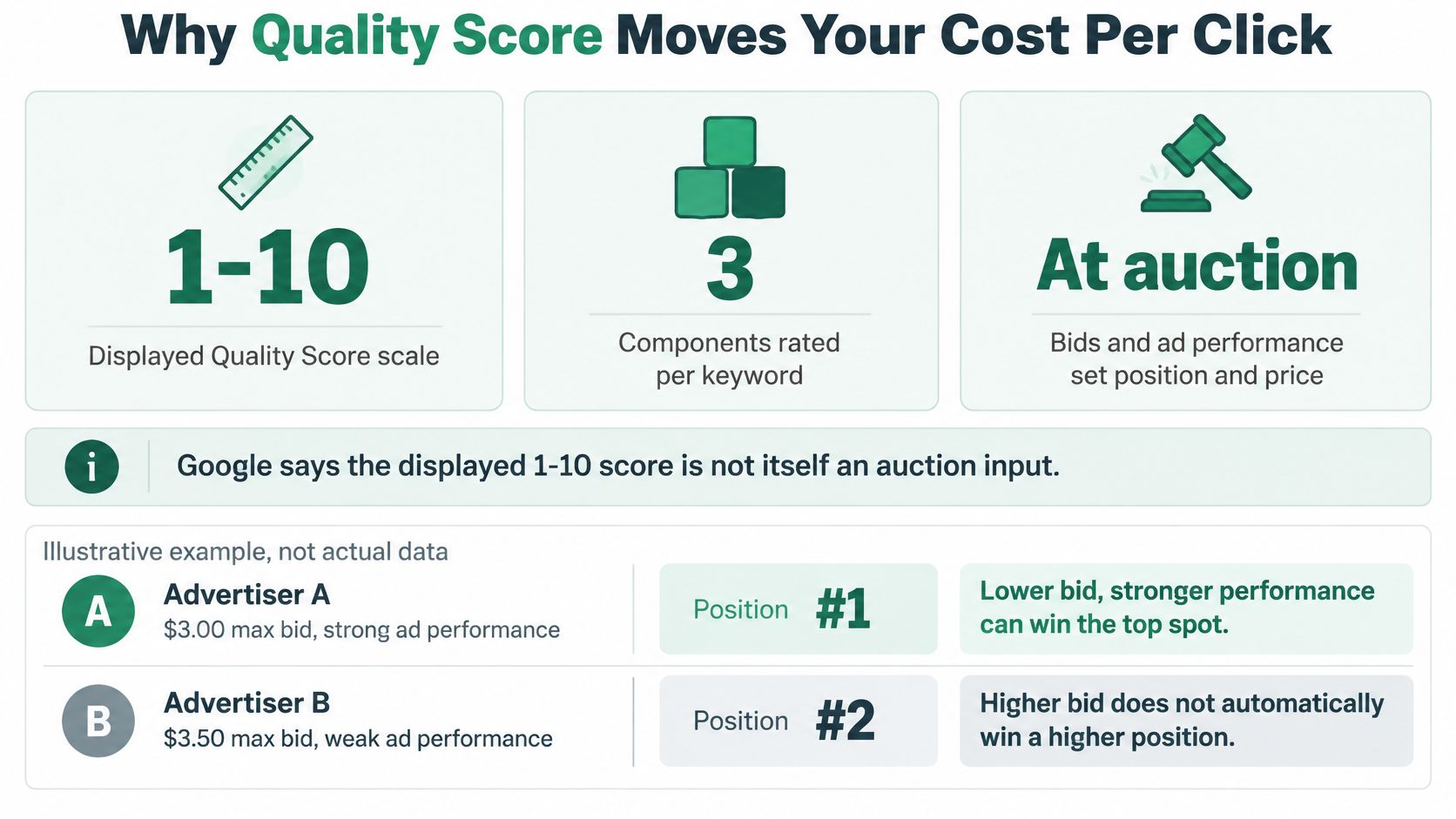
The heading needs an important qualification: the displayed score doesn't directly set your price. Google assesses ad quality during the auction, alongside bids and other contextual factors, rather than plugging the visible diagnostic number into a pricing formula.
Better underlying quality can help you compete more efficiently. But changing the number isn't a purchase order for cheaper traffic, and raising your bid doesn't repair an irrelevant ad.
The auction distinction is summarized below.
Separate click efficiency from booking efficiency
Consider a hypothetical filler campaign that attracts inexpensive clicks with a broad promotional message. If most callers want a service you don't offer, the low CPC isn't useful. A more specific consultation ad may attract fewer bargain hunters and produce better booking economics.
Budget rule: Cheap clicks are useful only when the people behind them can become suitable patients.
Add Avg. CPC beside Cost in the keyword table, but keep your booking report open too. Compare meaningful spend with qualified inquiries and booked consultations rather than treating a CPC reduction as the finish line.
A sound med spa advertising strategy connects auction efficiency to appointment outcomes. Review your highest-spend keywords for weak components, then investigate whether the weakness accompanies wasted spend or whether the keyword is already delivering valuable consultations.
The Three Levers Behind Each Component
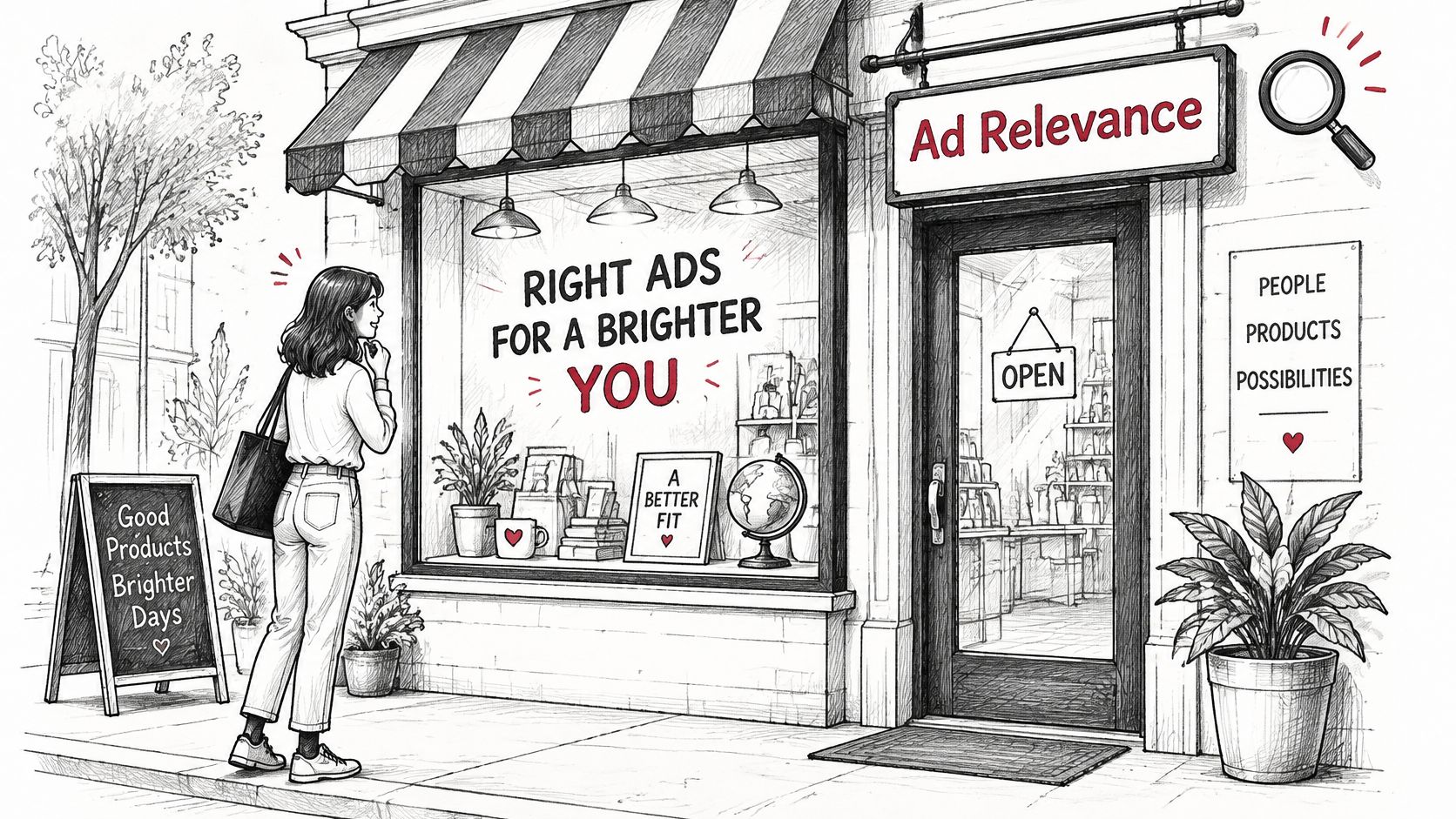
Think of a treatment campaign as a shop. Expected CTR is the shop window: does the message give the right passer-by a reason to enter? Ad relevance is the sign: does it describe what that person came looking for? Landing page experience is the shop floor: can they find what they need once inside?
The storefront analogy helps separate these jobs.
Match the change to the component
For expected CTR, improve the reason to click. Replace vague beauty language with the treatment, the actual consultation offer, and a useful benefit such as discussing suitability with a qualified provider. Don't advertise a free consultation unless the practice genuinely offers one.
Expected CTR isn't just the CTR column in your report. Observed CTR describes what happened to your impressions; expected CTR is a diagnostic prediction that also reflects historical interaction patterns.
For ad relevance, examine the relationship between the search, keyword group, and message. A laser hair removal search shouldn't receive copy focused on injectable treatments. Use the searcher's language naturally, without forcing every keyword variation into a headline.
For landing page experience, improve the destination's usefulness. Someone considering body contouring needs information about the consultation, suitability, treatment expectations, and the booking process, not a directory of unrelated services.
The score shows you which part of the shop is failing; it does not repaint the shop for you.
Don't confuse assets with a component fix
Sitelinks, callouts, and other assets can help people understand your offer and find useful information. However, Google's guidance on improving Quality Score states that asset effects are removed from the expected-CTR calculation used for the displayed score.
Use assets because they help searchers, not because you expect them to repair that diagnostic.
Choose a change that corresponds to the weakness you're testing. If you rewrite the message and rebuild the destination simultaneously, you may improve the campaign, but you won't know which intervention mattered. Treat a combined redesign as a broader funnel change, not a clean component test.
A Med Spa Example Mapping Keywords to Pages
Say a med spa runs a broad Botox and fillers ad group and sends every visitor to its homepage. Expected CTR is Average, while ad relevance and landing page experience are Below average. Meanwhile, the front desk reports more inquiries that never become consultations.
The account manager opens the Search terms report and finds several distinct needs: nearby Botox appointments, filler pricing, and general treatment research. The existing ad tries to address all of them, so it gives nobody a particularly clear answer.
Split by treatment and intent
The team separates the treatment themes and gives each ad group a destination that answers its searchers' questions. It doesn't create a new group for every wording variation. Terms can stay together when the same ad and page genuinely serve them.
Keyword families mapped to ad groups and landing pages
| Keyword Family | Ad Group | Landing Page | Risk to Watch |
|---|---|---|---|
| botox consultation near me | Botox consultation | Botox consultation page with booking form | Sent to the homepage, relevance drops |
| dermal filler cost | Filler pricing research | Filler pricing guide with a consultation call to action | High clicks, few bookings if the call to action is weak |
| laser hair removal | Laser treatments | Laser treatments page with area-by-area options | Mixed intent, so split by treatment area when volume allows |
| body contouring consultation | Body contouring | Body contouring page with consultation booking | Competitor ads may dominate on price terms, so watch impression share |
A pricing researcher needs context about what affects cost and what the consultation will establish. An appointment-ready searcher needs availability, location, and a straightforward booking path. Sending both to the same undifferentiated page makes each person work harder.
The practice can also use this treatment architecture for med spa SEO, while keeping paid landing pages focused on the specific promise made in the ad.
Check the result beyond the new structure
After the change, the team checks the affected component statuses and consultations booked relative to clicks. Staff also record whether inquiries concern the advertised treatment and whether patients understood the consultation offer.
A cleaner account isn't automatically a better-performing account. If pricing visitors still don't inquire, inspect whether the guide answers their cost questions before asking them to commit.
The practical test for every ad group is simple: can its headline clearly answer what the searcher came for? If it needs to name unrelated treatments to cover the keywords, the group probably needs a tighter theme.
Measuring Changes Over Time and What to Track
Current component columns describe the latest diagnostic state. To assess an intervention, add historical columns and inspect comparable periods rather than relying on a screenshot taken after the edit.
Google's announcement of historical Quality Score reporting explains that a selected date range shows the last known historical score for that range, while daily segmentation shows the score recorded at the end of each day. Keep that reporting choice consistent when comparing periods.
Build a usable change log
In the keyword table's Quality Score column category, add Quality Score (hist.), Landing page exp. (hist.), Ad relevance (hist.), and Exp. CTR (hist.). Use Segment, then Time and Day, when you need to inspect daily movement.
- Record the intervention: Log the date, affected keywords, previous destination or message, and intended component in a shared sheet.
- Export comparable windows: Pull the historical columns for periods before and after the edit using the same segmentation.
- Inspect the intended component: Check whether the weak status improved, remained unchanged, or deteriorated.
- Match business records: Compare booked consultations and attendance for the corresponding traffic, allowing time for leads to book.
Metrics to track alongside Quality Score
| Metric | What It Tells You | Reading a Weak Value |
|---|---|---|
| Cost per booked consultation | Total spend divided by consultations booked | Rising cost calls for investigation of targeting, the page, and booking handling |
| Show rate | Share of booked consultations that attend | Low attendance can indicate expectation-setting or reminder gaps |
| Impression share | Share of eligible impressions your ads received | Check budget and rank limitations rather than assuming a relevance problem |
| Qualified call or form rate | Share of leads meeting your treatment and budget criteria | A weak rate suggests a mismatch in targeting, offer, or message |
| Quality Score component status | Diagnostic assessment of expected CTR, relevance, and landing page experience | Use it to identify the weak component, not to declare success |
Connect ad records to appointment records
Use your CRM to distinguish an inquiry from a booked consultation and an attended appointment. Import appropriate offline conversion outcomes into Google Ads when your tracking setup supports it, and avoid counting the same booking through overlapping conversion actions.
This is the point where med spa lead generation needs operational measurement, not just advertising reports. A form submission doesn't tell you whether the front desk reached the person or whether they attended.
Measurement caution: Diagnostic improvement and booking improvement can occur together without proving that the score caused the bookings.
Judge the diagnosis by whether it identifies a useful intervention, then judge that intervention by appointment outcomes.
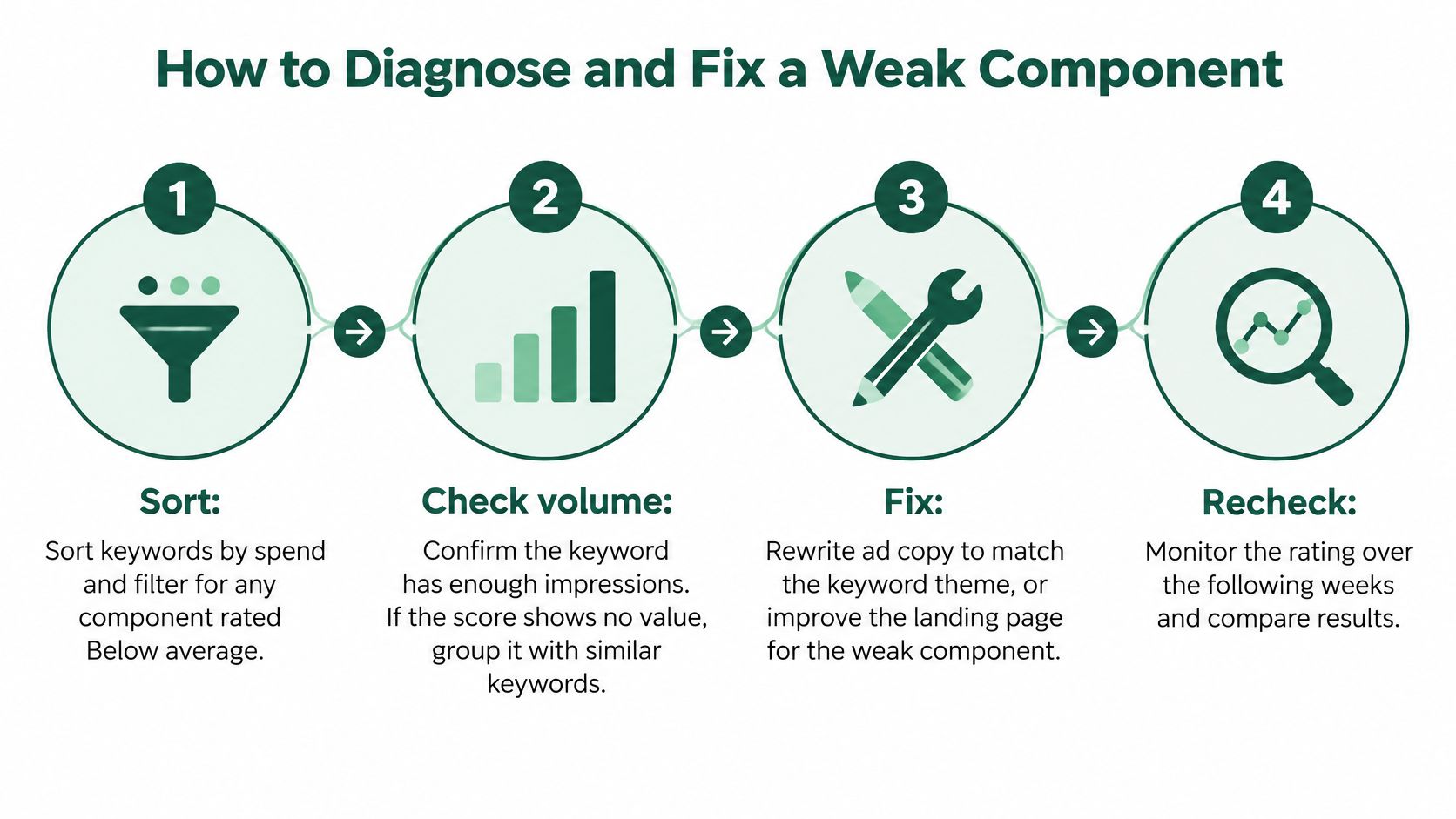
How to Diagnose and Fix a Weak Component
Don't apply a generic optimization checklist to every low-rated keyword. Start with the account evidence and name the problem you're trying to solve.
The workflow below keeps the investigation focused.
Run a controlled diagnosis
Start with meaningful spend. Sort Search keywords by Cost and filter component columns for Below average. Review booking records alongside the filtered table so you don't prioritize a nearly unused term over a costly problem.
Check whether a diagnosis is possible. Inspect impressions and the presence of a reported score. If information is sparse, review similar-intent terms together or wait for more evidence; regrouping keywords doesn't automatically create enough diagnostic history.
Choose the component to investigate. Record the weakest actionable status and a specific hypothesis. For example, the destination may describe the treatment without explaining how to arrange a consultation.
Read actual searches. Open the Search terms report for the relevant campaign or ad group and compare queries with the ads they can trigger. Look for mixed treatments, education-only searches, and language suggesting a service your practice doesn't provide.
Walk the mobile booking path. Open the ad's destination on a phone and use PageSpeed Insights to investigate loading issues. Check whether the treatment is obvious, the booking button works, the form is usable, and the phone number reaches the correct team.
Make the smallest useful intervention. Rewrite the relevant headline, separate a mixed-intent group, or reroute traffic to an existing treatment page. Keep unrelated settings stable where practical so the result is easier to interpret.
Recheck after meaningful activity accumulates. Compare the targeted component and booking outcomes, allowing for the delay between an inquiry and an appointment. If evidence remains thin, extend the observation window rather than declaring a winner.
Check context before blaming the page
A weak rating can reflect a tougher competitive environment rather than an obvious defect. Google's explanation of ad quality also notes that factors such as device, location, time of day, and assets can affect ad quality without being fully represented in the displayed score.
Segment performance by device and location, and examine search terms before deciding what to change. The component itself isn't a device-specific grade, so use those segments to locate performance differences, not to invent separate scores.
For a video walkthrough of the topic, use the player below.
Weak components, likely causes and fixes
| Weak Component | Likely Cause | Fix |
|---|---|---|
| Expected CTR | Generic headline with no treatment, price context, or offer | Lead with the treatment, genuine consultation offer, and a clear benefit |
| Ad relevance | An ad group mixes injectables and laser queries | Split into treatment-specific groups and match headlines to their keywords |
| Landing page experience | Homepage or slow page with no visible booking path | Route to a useful treatment page with a booking button and fast mobile loading |
| Not enough data | Narrow keyword with few searches | Review with similar-intent terms or wait for more impressions before judging |
Deciding When to Accept a Low Score
The highest possible score isn't the business objective. A keyword with a mediocre diagnostic can still produce valuable consultations, while a highly rated keyword can attract people who never book.
Google's Quality Score documentation explicitly describes the metric as a diagnostic tool rather than a KPI and says the displayed Quality Score isn't an input in the ad auction. Don't rebuild a profitable campaign just to improve its appearance in a report.
Choose an action based on commercial evidence
- Keep it: Cost per booked consultation is acceptable, attendance is healthy, and you can't identify a meaningful experience problem. Continue monitoring rather than editing for the sake of the score.
- Fix it: A weak component corresponds to a clear, limited problem, such as an unhelpful headline or an incorrect destination. Make the targeted correction and preserve what already works.
- Restructure it: Search terms reveal different treatments or stages of intent that require distinct messages and pages. Move deliberately, keeping productive traffic running while you validate the new arrangement.
- Pause it: Meaningful spend continues without bookings after you've reviewed targeting, tracking, the destination, and front-desk handling. Make that decision against the practice's acquisition economics, not an arbitrary score cutoff.
Avoid deleting and recreating successful campaign elements without a reason. A broad rebuild can interrupt delivery and make historical comparisons harder, even when the new organization looks tidier.
Resolve tracking gaps before the next review
Schedule a follow-up review after enough inquiries have had time to become consultations. Compare cost per booking and attendance, and ask the front desk whether the patients matched the advertised treatment.
If calls and forms can't be connected to their originating traffic, fix attribution before judging individual keywords. Use call tracking, form attribution, and CRM booking records to establish what happened after the click. Without that connection, a decision about booking performance is a guess.
Med Spa Scalers combines Google advertising, treatment-specific landing pages, CRM tracking, and automated follow-up to connect inquiries with booked consultations and kept appointments. Visit Med Spa Scalers to discuss an audit of your ad-to-booking journey and identify whether your next improvement belongs in the campaign, the landing page, or the follow-up process.
See how many patients you're leaving on the table
Get a free marketing audit of your ads, follow-up and booking flow. No pressure, just a clear picture.
Book a free marketing audit